
My
 0 items
Total = $0.00
0 items Total = $0.00

Search by part number, name, product ID
0 items
Search by part number, name, product ID



 ):
$354.95
):
$354.95
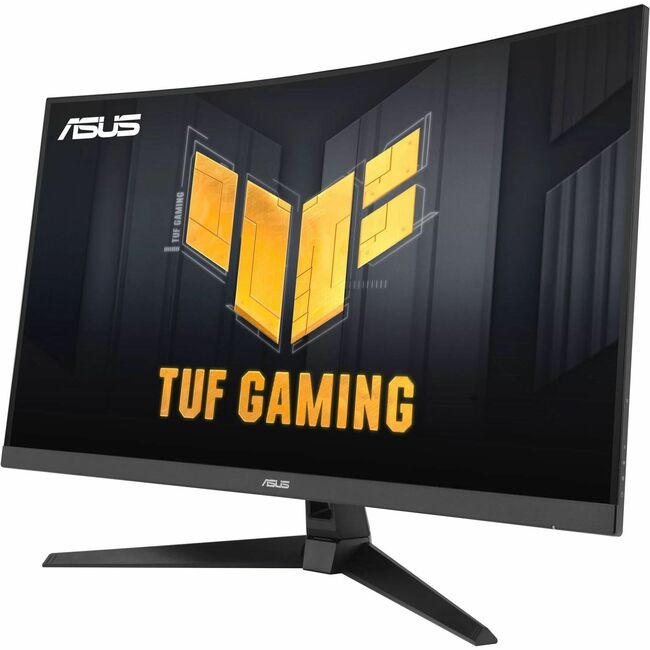
TUF Gaming Series 5 - VG32VQM5B Gaming Monitor -31.5 inch Full HD, Curved, 250Hz(OC), ELMB SYNC, FreeSync Premium, 0.5ms response time, 120% sRGB, DisplayWidget Center
TUF Gaming VG32VQM5B is a 31.5-inch QHD (2560 x 1440) 1500R curved gaming monitor with overclock to 250 Hz refresh rate and 0.5ms response time (minimum) for extremely immersive gameplay. It features exclusive Extreme Low Motion Blur technology and AMD FreeSync Premium™ to eliminate ghosting and tearing. In addition, it also covering 120% sRGB color gamut for great contrast and lifelike colors.
Gaming key spec | 250HZ REFRESH RATE AND 0.5MS (MIN.) RESPONSE TIME
TUF Gaming VG32VQM5B delivers stunning visuals from all angles with an 1500R curvature that ensures every point is equidistant to your eyes. With 250Hz (OC) refresh rate decimates lag and motion blur to give you the upper hand in first person shooters, racers, real-time strategy, and sports titles. This ultrafast refresh rate lets you play at the highest visual settings and lets you react instantly to what's onscreen - so you'll get that first strike in.
ADAPTIVE-SYNC
AMD FreeSync Premium technology supported through DP and HDMI ports providing variable refresh rates for low latency, stuttering-free and tearing-free while gaming.
Color performance | High Dynamic Range
With HDR technology to deliver more vivid colors and higher contrast levels compared to traditional monitors.
Exclusive gaming feature | Extreme Low Motion Blur
ELMB Sync software that enables ELMB to work simultaneously with adaptive-sync technology to eliminate ghosting and tearing for extraordinarily sharp, high-frame-rate gaming.
Variable Overdrive
Integrated ASUS Variable Overdrive technology allows the display to dynamically alter its overdrive setting as frame rates fluctuate, ensuring optimal results for any game. You choose how strong you want the overall effect to be, then let the monitor take it from there.
Intuitive Controls
DisplayWidget Center software upgraded the user interface so that users can easily change monitor settings via a mouse ? so there's no need to access the OSD menu.
Extensive Connectivity
A multitude of connectivity options, including two HDMI 2.0, plus DisplayPort™ 1.2, ensures wide compatibility with a variety of input sources.



